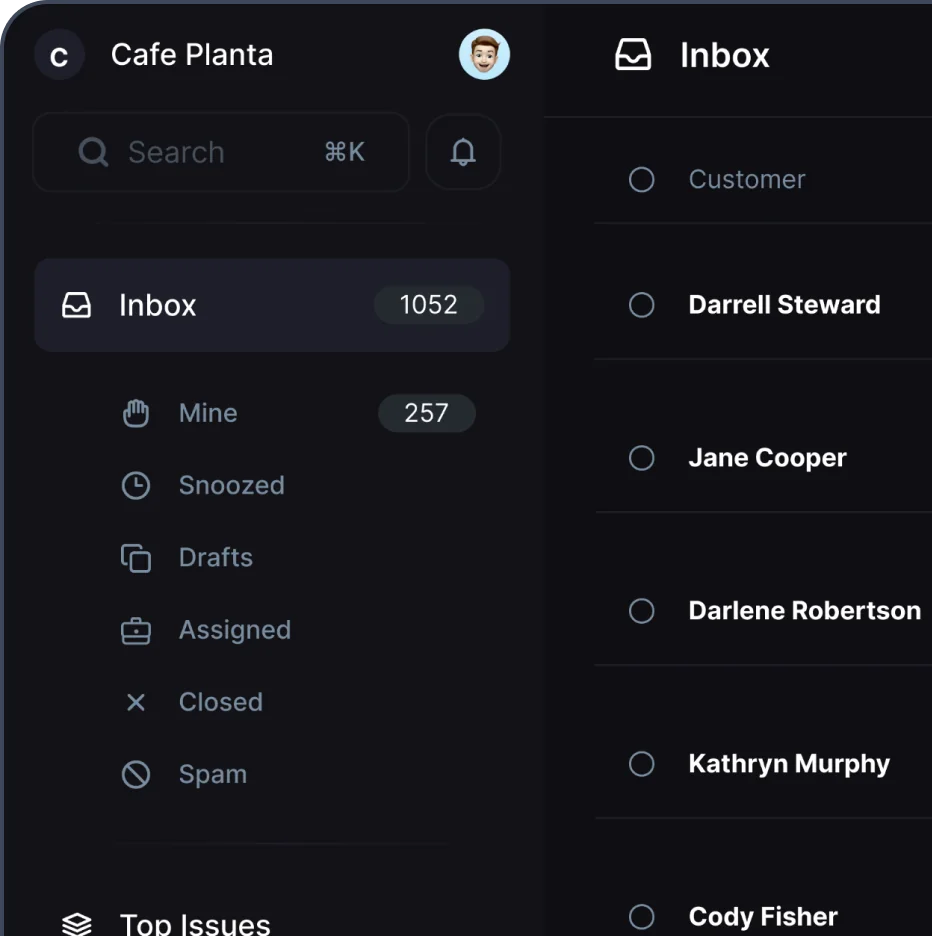

In the fast-paced world of ecommerce, providing top-notch customer support can be a game-changer. As a founder or a CX leader of a fast-growing DTC brand, you're probably juggling numerous tasks daily. One way to streamline your customer service is by setting up a shared Gmail inbox. This guide will walk you through how to create one, ensuring your team can collaborate effortlessly, making your customers happier and more loyal.
We'll cover everything from the benefits of a shared inbox to step-by-step instructions on setting one up. You'll also learn about best practices and tools that can help maintain efficiency and how this approach can enhance your brand's reputation and customer loyalty. So, let's get started!
Utilizing Labels and Filters for Organization
Once your shared inbox is up and running, organization becomes crucial. Gmail offers several features to help you categorize and manage emails effectively.
1. Create Labels
Labels act like folders in Gmail, allowing you to categorize emails by type, urgency, or any criteria that suit your business. For example:
- Urgent: For emails that require immediate attention.
- Returns: To manage product return inquiries.
- General Queries: For routine customer questions.
Encourage your team to apply labels as they handle emails. This practice helps everyone quickly identify and prioritize their tasks.
2. Set Up Filters
Filters automatically sort incoming emails based on specific criteria. Here's a quick way to set up a filter:
- In Gmail, click the dropdown arrow in the search box.
- Enter your filter criteria (e.g., emails containing the word "return").
- Click "Create filter" and select the actions you want Gmail to take, such as applying a label or marking as important.
Filters save time and ensure that no important email slips through the cracks. They work in the background, keeping your inbox organized and your team focused.
Integrating Third-Party Tools
While Gmail offers some great features for managing a shared inbox, third-party tools can take your collaboration to the next level. Several tools integrate seamlessly with Gmail, providing additional functionalities.
1. Helpdesk Software
Consider investing in helpdesk software that integrates with Gmail. These tools often provide advanced features like ticketing systems, customer databases, and analytics, which can significantly improve your team’s efficiency and customer satisfaction.
2. Collaboration Platforms
Platforms like Slack or Microsoft Teams can be integrated with your shared inbox to streamline communication among team members. You can set up notifications for specific labels or conversations, ensuring that everyone stays in the loop.
3. Automation Tools
Tools like Zapier can automate repetitive tasks, such as tagging emails or assigning them to specific team members. Automation reduces the manual workload, allowing your team to focus more on providing exceptional customer service.
Integrating these tools with your shared inbox doesn’t just make your team's life easier; it enhances your customer experience by allowing your team to respond faster and more efficiently.
Training Your Team for Success
The technology is only as good as the people using it. Training your team on how to use the shared inbox effectively is crucial for reaping its full benefits.
1. Conduct Regular Training Sessions
Regular training keeps your team updated on new features and best practices. It also provides an opportunity for team members to share insights and learn from each other’s experiences.
2. Create Comprehensive Guides
Develop easy-to-understand guides that detail your shared inbox protocols and procedures. These guides should be readily accessible to all team members and regularly updated to reflect any changes.
3. Encourage Feedback
Your team is on the front lines of customer service, so their feedback is invaluable. Encourage them to share their thoughts on how the shared inbox can be improved or streamlined. This feedback loop can lead to innovative solutions and improved customer interactions.
Remember, a well-trained team is better equipped to handle customer inquiries efficiently and effectively, enhancing the overall customer experience.
Maintaining Customer Loyalty Through Excellent CX
A shared inbox is not just a tool for managing queries; it's a means to build stronger relationships with your customers. By offering quick, consistent, and helpful responses, you demonstrate that you value your customers' time and concerns.
1. Personalize Interactions
Use the data available in your shared inbox to personalize responses. Whether it’s addressing the customer by name, referencing past interactions, or tailoring solutions to their specific issues, personalization can significantly enhance the customer experience.
2. Proactive Communication
Don’t just wait for customers to reach out with problems. Use your shared inbox to send proactive emails about order updates, potential delays, or new product launches. This approach shows customers that you’re thinking ahead and prioritizing their needs.
3. Encourage Feedback and Reviews
After resolving an issue, encourage customers to provide feedback or leave a review. Not only does this help you improve, but it also gives customers a sense of involvement in your brand's growth.
By leveraging your shared inbox to enhance customer interactions, you're not just solving issues; you're creating a loyal customer base that will advocate for your brand.
Adapting to Growth and Change
As your brand grows, so will the demands on your shared inbox. Adapting to these changes is necessary to maintain efficiency and CX quality.
1. Scale Your Team
As your email volume increases, consider scaling your team to ensure that queries are handled promptly. This might involve hiring additional staff or redistributing responsibilities among current team members.
2. Upgrade Your Tools
Keep evaluating whether your current tools and processes are sufficient for your growing needs. Upgrading to more advanced software or integrating new technologies can help maintain efficiency as your business expands.
3. Stay Agile
Be ready to adapt your strategies and processes as your brand evolves. This agility will help you stay ahead of customer expectations and maintain a high level of service.
Remember, growth is a positive challenge that requires continuous adaptation and innovation. By staying proactive, you can turn these challenges into opportunities to improve your customer experience.
Final Thoughts
Creating a shared Gmail inbox is a straightforward yet powerful way to boost collaboration and CX for your ecommerce brand. From setting up the inbox to integrating third-party tools and training your team, each step plays a crucial role in enhancing customer satisfaction and loyalty.
If you're looking for a more robust solution, consider trying Fullcourt. This helpdesk is designed specifically for fast-growing Shopify brands, offering a lightweight, affordable alternative to complex systems. With features like a shared team inbox, self-service live chat portal, and AI customer support assistant, Fullcourt can streamline your operations and help your team deliver exceptional service, driving repeat purchases and building lasting brand loyalty.

Spencer has been working in product and growth for the last 10 years. He's currently Head of Growth at Sugardoh. Before that he worked at Bump Boxes, Buffer, UserTesting, and a few other early-stage startups.